
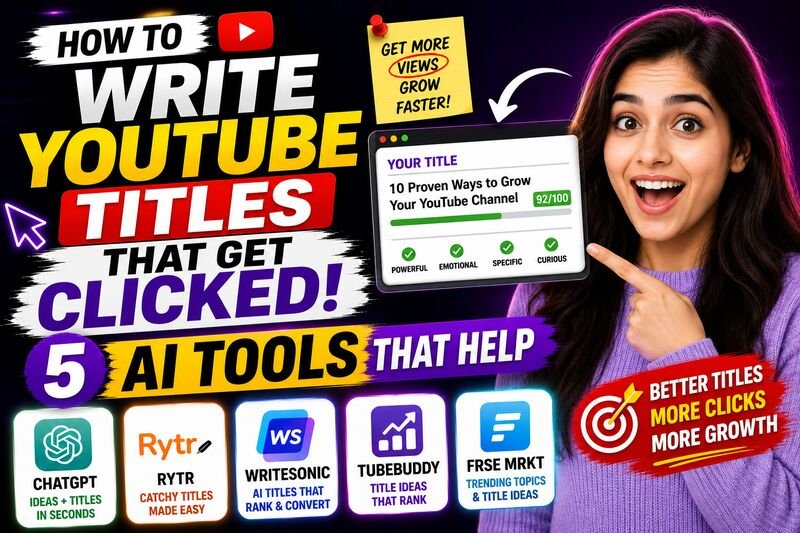
How to Write YouTube Titles That Get Clicked — 5 AI Tools That Help 🎯
Your title decides whether anyone watches your video. These 5 AI tools help you write click-worthy YouTube titles — with emotional scoring, SEO data, and live A/B testing built in.
By w3codemasters
Your video could be the best on the topic. If the title does not make someone stop scrolling, nobody will ever know.
Click-through rate (CTR) is one of the most direct signals YouTube uses to decide whether to recommend a video further. According to YouTube's Creator Academy, a typical CTR across YouTube falls between 2 and 10 percent — which means even a well-optimized video is getting ignored by 90 to 98 percent of people who see it. The title is the single biggest lever you control to move that number.
Writing titles that actually get clicked is a skill — and like most skills, it has learnable principles behind it. The best AI tools for YouTube title writing are not just generators. They apply those principles at speed, giving you options you would not have thought of alone and scoring them against real performance data before you publish.
Here is what makes a title work, and five AI tools that help you write better ones.
What Makes a YouTube Title Actually Get Clicked
Before reaching for a tool, it helps to understand what the tools are optimizing for.
According to research on headline psychology, effective titles share four characteristics — they create curiosity without being misleading, they include a specific outcome or benefit, they use language the audience already uses when searching, and they are short enough to read in under two seconds.
On YouTube specifically, titles with numbers get approximately 20 percent more clicks on average. Questions outperform statements for search-driven content because they match the phrasing of actual searches. Titles under 60 characters show in full on most devices — anything longer gets cut off in search results and suggested feeds.
These are the principles the tools below apply automatically.
1. ChatGPT — Best for Generating Multiple Title Variations Fast ⚡
ChatGPT is not a YouTube-specific tool, but for title generation it has one advantage no dedicated YouTube tool can match — you can give it context that the specialized tools cannot process.
Paste your video script, describe your target audience, explain the tone of your channel, and ask for twenty title variations. ChatGPT produces options across different angles — curiosity-driven, benefit-driven, question-based, number-led — all informed by the actual content of what you made. This is the difference between a tool that generates generic titles and one that generates titles for your specific video.
The most effective prompt structure for YouTube titles in ChatGPT: describe the video topic, the target viewer, the main takeaway, and the emotion you want the title to trigger. Then ask for ten variations across different formats. Take the best two or three and refine from there.
What makes it useful for title writing:
- Processes your actual script or topic description as context
- Generates titles across multiple psychological angles in one response
- Rewrites weak titles with specific improvements when asked
- Understands tone — can write casual, authoritative, dramatic, or conversational
- Free tier is sufficient for most title generation tasks
Cost: Free tier available. ChatGPT Plus at approximately $20 per month for higher usage. Best for: Creators who want high-volume title options quickly with full context about their video.
2. VidIQ AI Title Generator — Best for SEO-Scored Title Suggestions 📊
VidIQ combines YouTube search data with AI generation to produce titles that are not just creative but measurably aligned with what the algorithm rewards.
Its AI title generator does not just suggest titles — it scores them. Each suggestion comes with a predicted CTR impact and an SEO strength indicator based on how well the title matches current search trends in your niche. This means you are not picking titles based on instinct alone but on data about what has worked on similar videos.
The tool also analyses competitor titles in your niche — showing you the title structures and keywords that top-performing channels are using, so you can model what is working rather than guessing from scratch.
For creators who want title suggestions that are both click-worthy and search-optimized — not one or the other — VidIQ's integration of SEO scoring into the generation process gives it an edge over pure writing tools.
Key title features:
- AI title suggestions with predicted CTR scores
- Keyword integration based on real YouTube search data
- Competitor title analysis showing what is ranking in your niche
- Title optimization suggestions for videos already published
- Browser extension shows title strength directly on YouTube upload page
Cost: Free plan with limited daily suggestions. Paid plans from approximately $9.50 per month. Best for: Creators who want data-backed title scoring alongside AI generation.
3. TubeBuddy — Best for A/B Testing Titles After Publishing 🔬
TubeBuddy is trusted by over 10 million YouTube creators and its approach to title optimization is uniquely practical — it is the only tool on this list that lets you test two title versions against each other on a live video.
Its A/B testing feature publishes two different titles for the same video and rotates between them, tracking which version generates a higher CTR over time. After a statistically significant number of impressions — typically 1,000 or more — TubeBuddy shows you which title won and by how much. You then permanently set the winner.
This matters because even the best AI title generator is making predictions. Real audience behavior on your specific channel is more accurate than any prediction. TubeBuddy's A/B testing turns title optimization from a one-time decision into an ongoing improvement process.
Its SEO Studio also scores your title before publishing — analyzing keyword strength, character count, emotional appeal, and click probability in one dashboard before the video goes live.
Key title features:
- A/B title testing on live videos with statistical significance tracking
- SEO Studio scoring before publishing
- AI title suggestions based on keyword performance data
- Click probability scoring for title variations
- Weighted keyword scores personalized to your channel size
Cost: Free plan available. Paid plans from approximately $4.50 per month. Best for: Creators who want to test titles after publishing and optimize CTR with real data.
4. Claude — Best for Titles That Sound Like a Human Wrote Them 🧠
Claude by Anthropic produces YouTube titles that avoid the pattern most AI-generated titles fall into — the formulaic structure that experienced viewers recognize immediately as machine-generated and scroll past.
The difference shows most clearly on titles that need to carry emotional weight or a distinct voice. Ask Claude to write titles in the style of a specific creator, or give it examples of your best-performing titles and ask it to generate new ones that match that pattern — it picks up on voice and structure in a way that produces more natural, channel-specific output than tools optimized purely for keyword density.
Claude is also useful for a specific title problem most creators face — rewriting a title that is accurate but boring. Describe what your video covers and what makes it worth watching, and ask Claude to rewrite the title to lead with the most compelling angle. The result is usually a title that keeps the SEO intent but gains a hook the original version was missing.
Key title uses:
- Generating titles in your established channel voice
- Rewriting accurate but low-CTR titles with a stronger hook
- Creating title variations across emotional angles — curiosity, urgency, benefit, controversy
- Processing long video descriptions to find the most clickable angle
- Free tier handles most title generation needs without paying
Cost: Free tier available at claude.ai. Claude Pro at approximately $20 per month. Best for: Creators who want titles that sound genuinely human and match their channel's established voice.
5. CoSchedule Headline Analyzer — Best for Scoring Titles on Emotional Impact 💥
CoSchedule Headline Analyzer is primarily a blogging tool that most YouTube creators have never heard of — which is exactly why it belongs on this list.
It scores any title or headline across multiple dimensions — word balance between common, uncommon, emotional, and power words; sentiment; clarity; and predicted click-through rate — and gives you a specific score out of 100 with detailed feedback on what to change.
According to research on emotional triggers in headlines, titles that include specific emotional language consistently outperform neutral titles even when the keyword strength is identical. CoSchedule's analyzer makes this measurable — you can see exactly which words are driving emotional response in your title and which are diluting it.
The practical use for YouTube creators is straightforward: generate title options in ChatGPT or Claude, run each one through CoSchedule's analyzer, and use the scores to choose the strongest version before publishing.
Key features:
- Emotional impact score for any title or headline
- Word balance analysis — power words, emotional words, uncommon words
- Sentiment scoring — positive, negative, neutral
- Character and word count optimization guidance
- Suggested improvements with specific word replacements
Cost: Free with a CoSchedule account. No paid plan required for basic headline scoring. Best for: Scoring and comparing title options from other AI tools before committing to one.
The Title Writing Workflow That Works
Using these tools together takes about ten minutes and removes most of the guesswork from title selection.
Start with ChatGPT or Claude to generate ten to fifteen title variations based on your video content. Run the top three through CoSchedule Headline Analyzer to score emotional impact. Check the highest-scoring option in VidIQ for SEO strength and keyword alignment. Publish, then use TubeBuddy to A/B test your top two versions against real audience behavior.
That process combines AI generation, emotional scoring, SEO validation, and live testing — which is more rigorous than how most established channels approach title writing.
The One Thing Titles Cannot Fix
A great title gets the click. It cannot hold the viewer once the video starts.
YouTube's algorithm weighs watch time and audience retention alongside CTR. A title that overpromises and underdelivers hurts your channel over time — higher initial CTR followed by early drop-off sends a negative signal that reduces how often the video gets recommended.
The goal is a title that accurately represents the most compelling version of what your video actually contains. Misleading titles produce one spike and then a permanent decline. Honest, well-crafted titles produce compounding growth.
Write titles that make people click because they genuinely want to see what comes next. Then make sure what comes next is worth the click.
Also read: Top 5 Free Keyword Research Tools for Your YouTube Channel And: Tired of Guessing What to Post? — 5 AI Tools That Find YouTube Ideas That Actually Rank
