
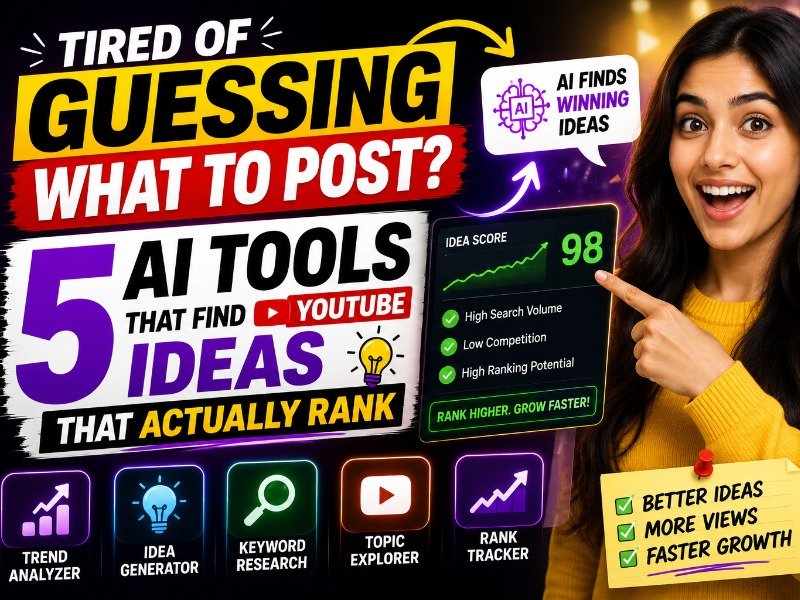
Tired of Guessing What to Post? — 5 AI Tools That Find YouTube Ideas That Actually Rank
Stop guessing what to post. These 5 AI tools find the exact topics your audience is searching for — with low competition and real ranking potential. Free options included.
By w3codemasters
Most creators pick video topics the wrong way.
They think of something they find interesting, search it on YouTube, see some big channels already cover it, and upload anyway hoping the algorithm will be kind. It usually is not.
The difference between a video that gets ten views and one that gets ten thousand is rarely the editing, the camera, or even the quality of the information. It is almost always the topic selection. According to YouTube's own research, click-through rate and watch time are the two strongest signals the algorithm uses to recommend videos — and both start with whether you chose the right topic before you ever hit record.
Topic research is not about guessing what people want to watch. It is about finding the specific questions people are already searching for and do not yet have a great answer to. That gap — between search demand and available content — is where channels grow.
These five AI tools find that gap for you.
1. VidIQ — Best for Daily AI-Powered Video Ideas 💡
VidIQ is the most widely used YouTube-specific research tool for a reason — it connects directly to YouTube data and translates that data into actionable content ideas, not just raw numbers.
Its Daily Ideas feature generates a fresh list of video topic suggestions every day, personalized to your channel's niche and audience. These are not generic suggestions pulled from a database — they are based on what is actually trending in your specific content category, what your competitors are ranking for, and what gaps exist between search demand and current supply.
The AI Coach feature goes further. Connect your channel analytics and VidIQ identifies specific opportunities based on your past performance — topics similar to your best-performing videos, keywords your audience is searching for that you have not covered, and content angles your competitors are ranking for that you could do better.
What makes it genuinely useful for topic research:
- Daily personalized video ideas based on your niche
- Keyword Explorer — find search terms you can realistically rank for, not just popular ones
- Competitor analysis — see exactly what topics neighboring channels are ranking for
- Click probability scoring — predicts how likely a title is to get clicked before you publish
- Trend alerts — notifies you when a topic in your niche starts gaining momentum
According to Quora discussions among YouTube creators, VidIQ's Keyword Explorer is consistently ranked as the most reliable free tool for finding rankable topics — specifically because it shows search volume alongside competition level, not just one or the other.
Pricing: Free plan available with limited daily ideas. Paid plans start at approximately $9.50 per month. Best for: Creators who want a daily supply of data-backed video ideas without manual research.
2. TubeBuddy — Best for Finding Low-Competition Keywords 🎯
TubeBuddy is the other major YouTube-native research tool, and its strength is in keyword analysis rather than idea generation. Where VidIQ tells you what to make, TubeBuddy tells you whether a specific topic is worth making.
Its Keyword Explorer scores every search term on a weighted scale — combining search volume, competition level, and your channel's existing authority to give you a practical ranking of how likely a video on that topic is to rank. A topic with high volume and low competition on a channel with existing relevance in that area gets a high score. A topic dominated by channels with millions of subscribers gets a low one.
For smaller and newer channels, this distinction matters more than anything else. According to WikiHow's guide on growing a YouTube channel, targeting lower-competition keywords is one of the most effective strategies for channels under 10,000 subscribers — and TubeBuddy makes this process systematic rather than manual.
Key research features:
- Keyword score that factors in your channel's realistic ranking potential
- Tag suggestions ranked by relevance and competition
- A/B thumbnail and title testing — see which version gets more clicks after publishing
- Competitor video analysis — understand what is making their top videos rank
- Search rank tracking for your published videos
Pricing: Free plan available. Paid plans start at approximately $4.50 per month — the most affordable paid tier among YouTube-specific tools. Best for: Smaller channels looking for specific low-competition keywords, creators who want to test titles and thumbnails after publishing.
3. Perplexity AI — Best for Finding Questions People Are Actually Asking 🔎
Perplexity AI is a research engine, not a YouTube tool — and that is exactly what makes it valuable for topic discovery.
YouTube's algorithm increasingly rewards content that matches search intent — the specific reason someone is searching, not just the keywords they type. A video titled "How to Start a Business" has a different intent than "Why Most Small Businesses Fail in the First Year." Both cover similar ground, but one matches a specific question a specific person is asking at a specific moment.
Perplexity surfaces these specific questions by searching the live web — forums, Reddit threads, news articles, Q&A sites — and summarizing what people are actually asking about a topic right now. For YouTube creators, this means you can type your niche into Perplexity and get a clear picture of the specific questions your potential audience is searching for, complete with cited sources showing where those questions come from.
The practical workflow: use Perplexity to find the questions, then check VidIQ or TubeBuddy to see if those questions have low competition on YouTube.
Key features for topic research:
- Real-time web search with cited sources
- Surfaces questions from forums, Reddit, and Q&A sites
- Follow-up questions to dig deeper into any topic
- Pro version adds access to multiple AI models including Claude and GPT-4o
- Focus modes — Academic, YouTube, Reddit — for targeted research
Pricing: Free tier available at perplexity.ai. Pro at approximately $20 per month. Best for: Finding the specific questions your audience is asking before deciding on a video topic.
4. Google Trends — Best for Timing Your Topics Right 📈
Google Trends is free, owned by Google, and one of the most underused tools in a YouTube creator's research stack.
Every topic has a timing dimension that keyword tools miss. A video about a topic that is about to peak in interest will outperform the same video on a topic that already peaked three months ago — even if the keyword metrics look identical. Google Trends shows you the trajectory of search interest over time, which means you can see whether a topic is growing, stable, declining, or seasonal before you commit to making a video about it.
According to Wikipedia's entry on Google Trends, the tool has been publicly available since 2006 and indexes search data across both Google Search and YouTube. The YouTube-specific filter inside Google Trends — available by selecting "YouTube Search" from the search type dropdown — shows you trend data specifically from YouTube searches, making it one of the most direct ways to understand what the YouTube audience is searching for in real time.
How creators use it effectively:
- Search a topic in Google Trends and check the YouTube Search filter specifically
- Compare two topic options side by side to see which has stronger current momentum
- Check the regional breakdown to see if a topic is stronger in your target audience's geography
- Use the "Related queries" section — it often surfaces specific video angles you would not have thought of
Pricing: Completely free. No account required. Best for: Timing video topics to match rising search interest, comparing topic options before committing.
5. Subscribr — Best for Topics Built Around Retention Data 🧠
Subscribr is the most specialized tool on this list. It does not just suggest video topics — it suggests topics and structures based on what the YouTube algorithm is currently rewarding in your specific niche.
Where VidIQ and TubeBuddy analyze search keywords, Subscribr analyzes video performance patterns — what hook structures are holding attention in the first thirty seconds, what pacing keeps viewers watching to the end, what topic angles are generating the highest average view duration in your content category. These are the signals the algorithm uses to decide whether to recommend a video, and Subscribr is the only tool built specifically to surface them for topic ideation.
For creators in competitive niches where the keyword opportunity has largely been taken by established channels, Subscribr's retention-focused approach offers a different path — not finding topics nobody has covered, but finding angles on existing topics that are performing better than the current top results.
Key features:
- Topic suggestions based on retention and watch time data, not just search volume
- Hook analysis — what opening structures are working in your niche right now
- Chapter and structure suggestions built into the ideation process
- Niche-specific data — recommendations change based on your content category
- Integration with script writing to move from idea to draft in one workflow
Pricing: Paid tool. Plans start at approximately $20 per month. Best for: Creators in competitive niches who need a retention-first approach to topic selection.
The Research Stack That Actually Works
No single tool gives you the complete picture. The creators consistently finding rankable topics combine tools based on what each does best.
A practical starting point: Use Perplexity AI to find the specific questions people are asking in your niche. Cross-reference those questions in VidIQ to check search volume and competition. Use Google Trends to confirm the topic has current momentum. Then use TubeBuddy to finalize your title before publishing.
That four-tool process covers search intent, keyword opportunity, timing, and title optimization — and three of the four tools are free.
The Part AI Cannot Do For You
These tools show you what people are searching for. They cannot show you what only you can say about it.
The channels that build real audiences in the long run are not the ones that found the best keyword gaps. They are the ones that had a distinct perspective on the topics those gaps pointed to.
Use these tools to find the door. You still have to decide what to say when you walk through it.
