
Free AI Tools That Make Your YouTube Thumbnails Look Like a Pro Made Them 🎨
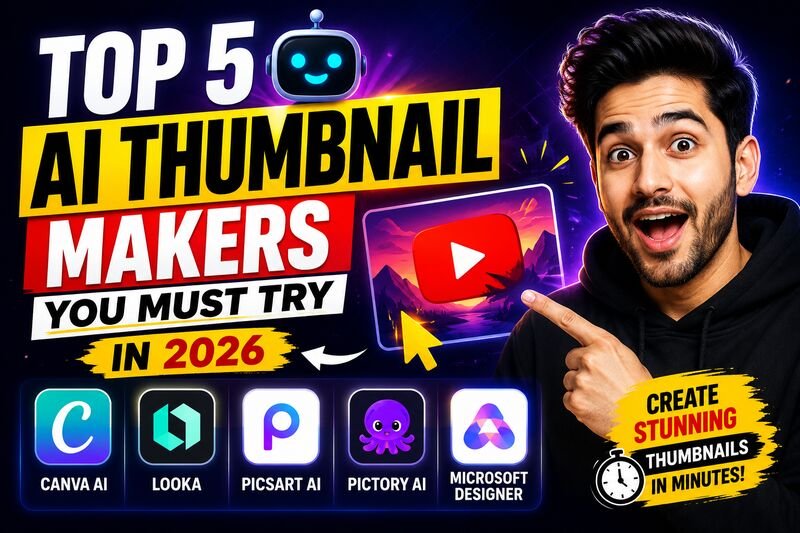
Your thumbnail decides whether someone clicks or scrolls. Here are the 5 best AI tools to create YouTube thumbnails in 2026 — from beginners to professionals.
By w3codemasters
Your thumbnail is the first thing a viewer sees — before the title, before the description, before anything else.
Studies consistently show that a well-designed thumbnail can increase click-through rate by 30 to 50 percent on the same video. In a platform where millions of videos compete for the same eyeball, your thumbnail is not decoration. It is strategy.
The good news is that AI tools have made professional thumbnail creation fast, affordable, and accessible — even if you have never opened Photoshop in your life.
Here are the five best AI tools for creating YouTube thumbnails in 2026, what each one does well, and who it is best suited for.
1. Canva
Best for: Beginners, teams, and creators who want full control over layout
Canva remains the most widely used thumbnail creation tool for a reason — it combines ease of use with genuine design power. The platform offers hundreds of YouTube-specific thumbnail templates sized exactly at 1280x720 pixels, and its AI-powered Magic Design feature can generate layout suggestions based on your topic or uploaded image.
Key features that matter for thumbnails:
- Drag-and-drop editor with real-time preview
- AI background remover to isolate your face or subject
- Magic Write for generating bold text and headline suggestions
- Brand Kit to keep colors and fonts consistent across all videos
- One-click resize for repurposing thumbnails across platforms
Canva's free plan is enough to get started. Canva Pro unlocks the full AI feature set, background removal, and premium templates.
Pricing: Free plan available. Pro starts at approximately $15 per month.
2. Midjourney
Best for: Creators who want visually striking, artistic, and unique backgrounds
If Canva is the editor, Midjourney is the artist. It does not offer templates or drag-and-drop — it generates original, high-quality images from text prompts. For YouTube thumbnails, this means you can create dramatic backgrounds, cinematic scenes, fantasy environments, and character art that no stock photo library can match.
The workflow most creators use in 2026 is straightforward — generate a background or scene in Midjourney, then bring it into Canva to add text, your face, and final polish.
Key features:
- Extremely high image quality and creative range
- Fine control over style, lighting, composition via prompts
- Consistent character generation across multiple images
- Fast generation — most images ready in under a minute
The learning curve is in writing good prompts, but even basic prompts produce results far above what stock images offer.
Pricing: Basic plan starts at $10 per month. No free tier currently available.
3. Adobe Firefly
Best for: Creators already in the Adobe ecosystem and professionals who need commercially safe images
Adobe Firefly is Adobe's AI image generation tool built directly into Adobe Express and Photoshop. What sets it apart from Midjourney or other generators is that every image Firefly creates is trained on licensed content — which means full commercial use rights with no copyright concerns.
For YouTube creators who monetize their content, this matters.
Key features:
- Generative Fill — add or remove elements from any image using text prompts
- Text Effects — AI-generated typography that makes thumbnail text visually distinct
- Background generation and replacement
- Direct integration with Photoshop and Adobe Express
- Commercially licensed output
Adobe Express has a dedicated YouTube thumbnail tool with AI layout suggestions, making it a strong all-in-one option for creators who want both generation and editing in one place.
Pricing: Adobe Firefly has a free tier with limited monthly credits. Full access comes with Adobe Creative Cloud plans.
4. Leonardo AI
Best for: Gaming, fantasy, sci-fi, and visually stylized channels
Leonardo AI gives creators access to multiple fine-tuned AI models, each with a distinct visual style. Where Midjourney generates a wide range of aesthetics, Leonardo lets you pick a model trained specifically for photorealism, anime, cinematic stills, concept art, or game assets.
For channels in gaming, tech reviews, horror, fantasy, or any niche where the thumbnail needs to look stylized rather than photographic, Leonardo consistently produces more distinctive output than general-purpose AI tools.
Key features:
- Multiple specialized models for different visual styles
- Image-to-image transformation — upload a base image and apply a new style
- Canvas editor for compositing and text overlay
- High resolution output suitable for large screen viewing
- Generous free tier with daily token allocation
Pricing: Free tier available with daily token credits. Paid plans start at approximately $12 per month for higher volume and priority access.
5. Fotor
Best for: Creators who want an all-in-one tool without switching between platforms
Fotor sits between Canva and the AI image generators — it is simpler than Canva but more template-driven than Midjourney. Its AI thumbnail generator can produce a complete thumbnail from a text description, and its editor handles text, filters, stickers, and background removal in the same workspace.
For creators who want a single tool that handles everything from image generation to final export without juggling multiple platforms, Fotor is a practical choice.
Key features:
- AI thumbnail generation from text prompts
- One-click background removal
- Text and graphic overlay editor
- Face enhancement for profile-style thumbnails
- Batch export for multiple thumbnail variations
Pricing: Free plan available with watermark. Pro removes watermarks and unlocks AI features, starting at approximately $8.99 per month.
How to Choose the Right Tool
The best tool depends on what your channel actually needs.
If you are just starting out and want something simple with no learning curve, start with Canva. Its free plan is genuinely capable and you can produce professional thumbnails from day one.
If your channel has a strong visual identity and you want thumbnails that look unlike anything on the platform, combine Midjourney for backgrounds with Canva for layout and text. This combination is what most professional YouTubers use in 2026.
If you are concerned about commercial licensing and already use Adobe products, Adobe Firefly is the safest and most integrated choice.
If your content is gaming, fantasy, or any visually stylized niche, Leonardo AI gives you more creative range than any other tool on this list.
And if you want everything in one place without complexity, Fotor handles the full workflow from generation to export.
One Thing AI Cannot Do For You
These tools make the design fast. They do not make the strategy for you.
The highest-performing thumbnails in 2026 still follow the same principles they always have — a clear subject, bold readable text, strong contrast, and an emotional hook that makes a viewer stop scrolling.
AI accelerates execution. The thinking behind what makes a thumbnail worth clicking still comes from understanding your audience.
Looking for more tools and resources for content creators and developers? Stay tuned for more posts on the blog.
